GUIDE · November 5, 2026
Best N-SPORT Digital Faces for Wear OS: 771 vs 775 vs 781
N-SPORT 771, 775, 781 on Wear OS: Weather, Complications & AOD Tested
Wear OS 5 on Galaxy Watch 4–8, Ultra, and Pixel Watch now runs three new N-SPORT digital faces. Each takes a different approach to information density. N-SPORT 771 delivers 15-state weather icons with UV and rain probability. N-SPORT 775 adds auto-rotating hourly and daily forecasts plus four complication slots. N-SPORT 781 offers a festive New Year layout where you choose complications. All three support Always On Display with full design preservation.
Weather Intelligence: Static vs Rotating vs Bring-Your-Own
N-SPORT 771 shows current conditions through 15 distinct icons (clear, partly cloudy, overcast, rain levels, thunderstorm, snow, fog) plus UV index and rain percentage. It’s a snapshot — glance and you know whether to pack a jacket.
N-SPORT 775 rotates every 5 seconds: current weather → hourly forecast (3h/6h/9h) → daily forecast (1–3 days). You see the trend without opening an app. For runners checking “will it rain in 3 hours?” this beats static icons.
N-SPORT 781 has no built-in weather. You add a weather complication from your preferred provider (Google Weather, AccuWeather, etc.). Flexibility over convenience.
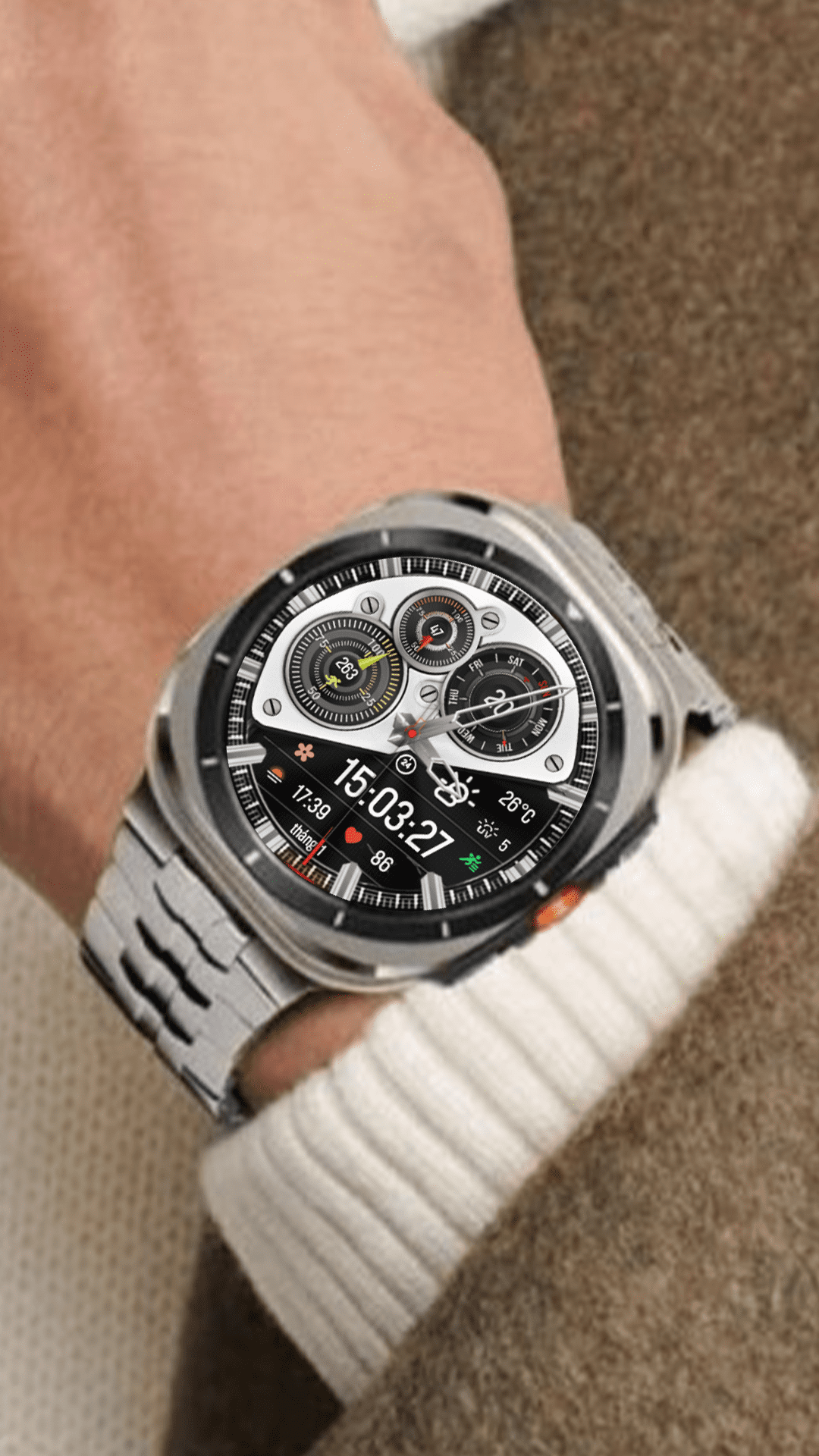
Complication Capacity
- 771: 3 custom slots — heart rate, steps, battery, date, or third-party.
- 775: 4 custom slots — same options, more simultaneous data.
- 781: Multiple slots via Wear OS complication picker.
If you track heart rate, steps, calendar, and phone battery together, 775’s four slots handle it natively. 771 covers the basics. 781 depends on your complication selection.

AOD & Battery on Wear OS 5
All three use vector rendering optimized for Super AMOLED. AOD keeps complications, colors, and layout intact — no dimmed skeleton mode. Typical draw: ~1.5%/hour on Galaxy Watch 7 with AOD on, tilt-to-wake enabled, 3 complication refreshes/hour. Disable wrist-wake and drop complication refresh to 30-min intervals to push below 1%/hour.
Installation & Compatibility
Install via N-SPORT Companion app (com.nsportwatchface.companion) — one tap, no phone permissions. Requires Wear OS API 33+ (Galaxy Watch 4+, Pixel Watch 1+, all Wear OS 5 devices). Price: $1.50 each on Play Store. BOGO free at nsportwatchface.com/promotion. Free coupon: nsportwatchface.com/n-sport-free-coupon.
Quick Decision Guide
| Need | Choose |
|---|---|
| Quick current weather + UV/rain % | N-SPORT 771 |
| Hourly + daily forecast rotation | N-SPORT 775 |
| Festive look, custom complications | N-SPORT 781 |
| Max data density (4+ metrics) | N-SPORT 775 |
| Minimal background data fetch | N-SPORT 781 |

Color Customization & Personalization
N-SPORT 771 and 775 both offer X10 Color Customization — ten preset palettes covering dark, light, and accent themes. This lets you match the face to Samsung’s official band colors (Graphite, Silver, Pink Gold, Green, Blue) or create contrast. 781’s festive theme uses a fixed palette optimized for the New Year aesthetic. Color changes apply instantly on watch without re-syncing.
Health & Fitness Integration
Both 771 and 775 surface heart rate and step count natively. For Galaxy Watch users, these pull from Samsung Health directly. 781 requires a third-party health complication for the same data. If you rely on real-time heart rate during workouts, 771 or 775 save a complication slot.
Pixel Watch & Other Wear OS Devices
On Pixel Watch 1/2/3, all three faces install via the same Companion app workflow. AOD behavior matches Galaxy Watch — full design preserved. The 15-state weather icons render sharply on Pixel’s circular display. Battery draw is comparable (~1.3–1.6%/hour with AOD). No Samsung-specific features are lost on non-Samsung Wear OS devices.
Guide: nsportwatchface.com/instruction-install | Support: [email protected]