GUIDE · October 3, 2026
Configure Missing Weather Widgets on Wear OS 5
Handling Blank Widgets on Wear OS 5
Many smartwatch owners discover that immediately following the installation of a new watch face on Wear OS 5, the weather widget or custom complication circles remain empty. Resolving this problem requires adjusting permission models tied to the Watch Face Format (WFF) and applying specific configuration changes across your device settings.
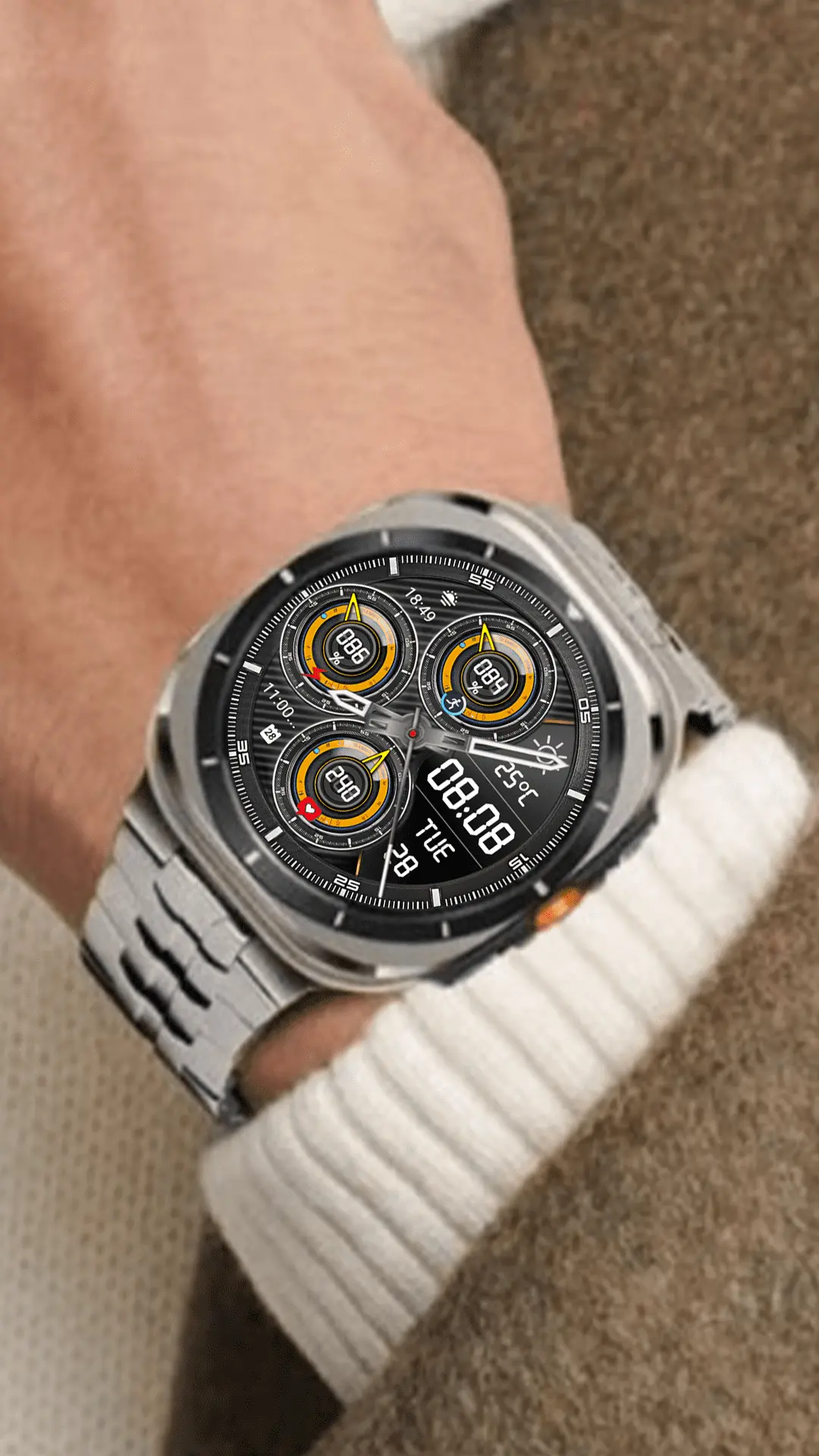
The WFF Data Pipeline
Under the standardized Watch Face Format, complications receive data strictly through registered system providers such as Google Weather, System Clock, or Health Services. According to official Android Developer guidelines, if a complication slot remains blank, the problem often lies within provider registration or permissions rather than the watch face itself:
- Data Type Validation: WFF complication slots are strictly typed by the developer. An icon slot only accepts
ICONorSMALL_IMAGEdata structures, while numerical readouts demandSHORT_TEXT. Selecting an incompatible data provider leaves the field completely blank instead of attempting an imperfect render. - Background Polling Restrictions: Wear OS 5 restricts background network activity to preserve battery longevity. If the data provider application is paused, battery-restricted, or lacks background execution access, the complication widget cannot refresh when the display goes to sleep.
- System State Refresh: If you suspect the Wear OS complication manager is holding onto stale provider identifiers after an upgrade, a manual re-selection helps rebuild the active data link between the underlying service and the visual layer.
Restoring Widget Functionality
Complete the following adjustments directly on your smartwatch interface to restore your complications and weather feeds promptly. Following these targeted configuration steps helps re-establish active background pipelines between system providers and visual watch face elements on your device:
1. Adjust App Permission Controls
Navigate to Settings > Apps > App info, select your default weather provider (or whichever utility provides data for the slot), and verify all requested permissions. For real-time weather, ensure location access is enabled and set to allow background tracking so information updates regularly throughout the day without interruption.
2. Remap Complication Providers
Long-press the watch screen to activate the Customize interface. Swipe across to the Complications screen, tap on the empty complication circle, and reassign the desired provider. Selecting a temporary data point first, saving, and then switching back establishes a fresh active data stream with the operating system.
3. Inspect Power Management
Verify that your watch is not actively running under severe battery optimization or extreme power saver modes, which halt background sensor polling and network requests for third-party watch face complications.
N-SPORT 767 Features
The N-SPORT 767 brings a hybrid aesthetic to Wear OS 5 devices. Featuring analog hour and minute hands combined with a digital time display supporting both 12H and 24H modes, it also incorporates the X15 Weather Icon corresponding to 15 distinct weather conditions. Configuring background permissions properly ensures your hybrid layout remains functional.