GUIDE · October 25, 2026
N-SPORT 752 Hybrid Watch Face Wear OS Guide
Looking to elevate your Wear OS smartwatch with a sophisticated blend of analog and digital styling? The N-SPORT 752 Hybrid Watch Face delivers exceptional versatility for daily wear, combining mechanical elegance with modern digital efficiency. In this dedicated guide, we examine in comprehensive detail how N-SPORT 752 transforms your everyday wristwear experience into something truly extraordinary, highly functional, visually striking, and completely optimized for your daily lifestyle demands across all supported devices.
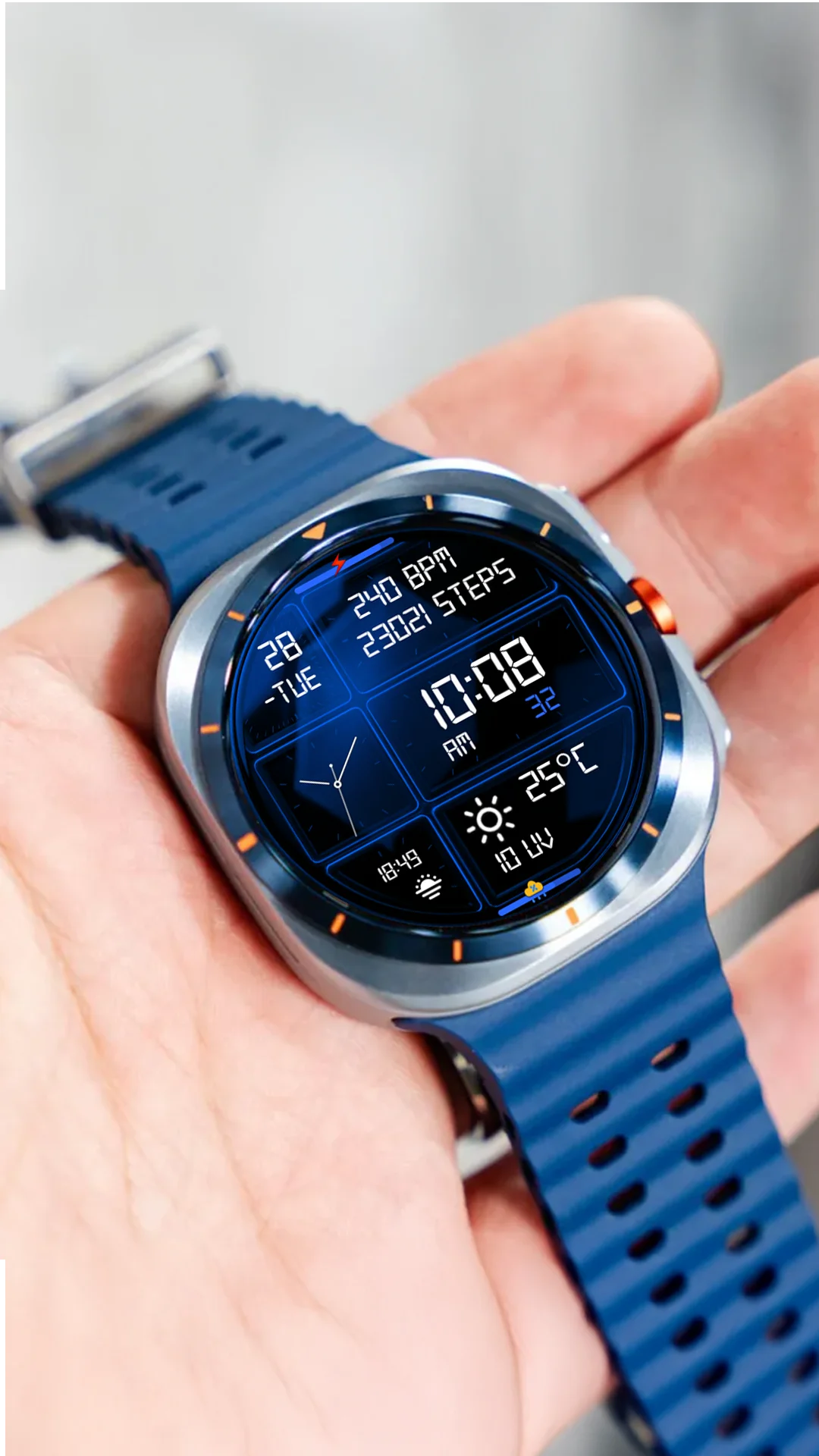
Core Features and Layout Design for Wear OS
Designed specifically for modern Wear OS smartwatches operating on API 34+, N-SPORT 752 integrates traditional analog hands with precise digital timekeeping. Users can easily track the day of the week, calendar date, and environmental conditions at a single glance without switching screens or opening menus. This dual-layer approach provides unmatched readability under any lighting condition, ensuring seamless daily navigation whether you are indoors or outside.
Furthermore, the interface layout is carefully optimized for round smartwatch displays, ensuring that every complication, weather icon, and battery indicator sits perfectly in place without cluttering the screen or obscuring the primary hands. Whether you are stepping outdoors into bright sunlight or checking time in low-light environments, the contrast and clarity remain pristine and professional.
Advanced Tracking & Customization Options
The watch face features 15 dynamic weather icons showing current temperature, UV index, and chance of rain percentage. With 10 color options and 1 custom complication slot, you can tailor your smartwatch display to match your personal style and daily fitness tracking requirements. Optimized Always-On Display (AOD) support ensures superior battery efficiency throughout the entire day, protecting your battery life while keeping essential data visible at all times.
How to Install and Setup on Wear OS
Follow these quick steps to get N-SPORT 752 running smoothly on your Wear OS device:
- Navigate to the Google Play Store directly on your Wear OS device.
- Search for package
com.watchfacestudio.n_sport752and select install. - Apply the face from your watch face gallery after download completes.
- Long press the screen to customize color palettes and assign custom complications.
Enjoy a sleek, highly functional, and hybrid smartwatch experience every single day.
Whether you are tracking workouts or managing everyday notifications, N-SPORT 752 delivers outstanding visual clarity, precise complications, and reliable battery performance across all compatible Wear OS smartwatches.
Additionally, the seamless integration with Google Play ensures automatic updates and effortless synchronization across your paired devices. Upgrading your smartwatch aesthetic has never been more straightforward or rewarding for daily productivity and health tracking.
Furthermore, customized watch faces allow users to express personal style while retaining robust functionality. N-SPORT 752 is the premier choice for modern users.
Experience superior craftsmanship today.
Download now and enjoy.
Additional tips for maximum battery preservation include turning off ambient timeout when not needed.