GUIDE · October 8, 2026
Sports Shortcuts vs Weather: Best Digital Wear OS Faces
Optimizing Complications and Quick Launchers on Wear OS
Wear OS provides a versatile platform for customizable complication slots and tactile application shortcuts. When configuring your daily digital watch face layout, the primary design balance lies between interactive launcher zones and passive environmental monitoring. Deciding whether to allocate watch screen real estate to tap targets or meteorological forecast data blocks directly impacts your daily smartwatch workflow.
Smartwatch owners often navigate between two distinct operational requirements throughout the week. High-intensity workout routines require immediate one-tap access to tracking applications, interval timers, and health telemetry. In contrast, outdoor commuting, cycling, and variable weather conditions necessitate forward-looking metrics such as UV levels, precipitation risk percentages, and ambient temperature shifts available at a single glance without navigating external menus.
Tactile Workflow: N-SPORT 506 Application Hub
The N-SPORT 506 Watch Face prioritizes immediate system interaction. Instead of requiring users to scroll through the Wear OS application drawer during training, it integrates 7 pre-mapped application shortcuts around its outer perimeter. A single tap launches key utilities, including health tracking, messaging, calendar schedules, alarms, device settings, phone calls, or music playback controls.

Alongside its interactive touch zones, N-SPORT 506 features clear 12H/24H digital typography, real-time step counters, heart rate readouts, battery percentage indicators, and 3 user-customizable complication slots. With 10 background styles and 10 color themes, it serves as a highly functional control center for active users who value speed over screen decoration.
By mapping your most frequent health tools directly to the bezel zone, N-SPORT 506 eliminates interaction friction during workouts. You can start logging a run or check your daily step target without pausing your exercise session to swipe through multi-level Wear OS menus.
Environmental Telemetry: N-SPORT 716 and N-SPORT 735
When atmospheric awareness takes precedence, dedicated weather watch faces convert screen space into live meteorological telemetry feeds. The N-SPORT 716 Watch Face incorporates 15 weather condition backgrounds that adjust automatically to outdoor status. It surfaces crucial outdoor indicators at a glance: current temperature, UV index ratings, chance of rain percentages, plus 4 custom complication slots for extra Wear OS data feeds.

For deeper environmental planning, the N-SPORT 735 Watch Face introduces an advanced forecast breakdown directly on the home screen. It displays current weather parameters along with predictive forecasts for 3 hours, 6 hours, 1 day, and 2 days ahead. Combined with 15 weather icons, 3 custom complications, and essential step/heart-rate counters, it gives outdoor enthusiasts a complete forecast station on their wrist.
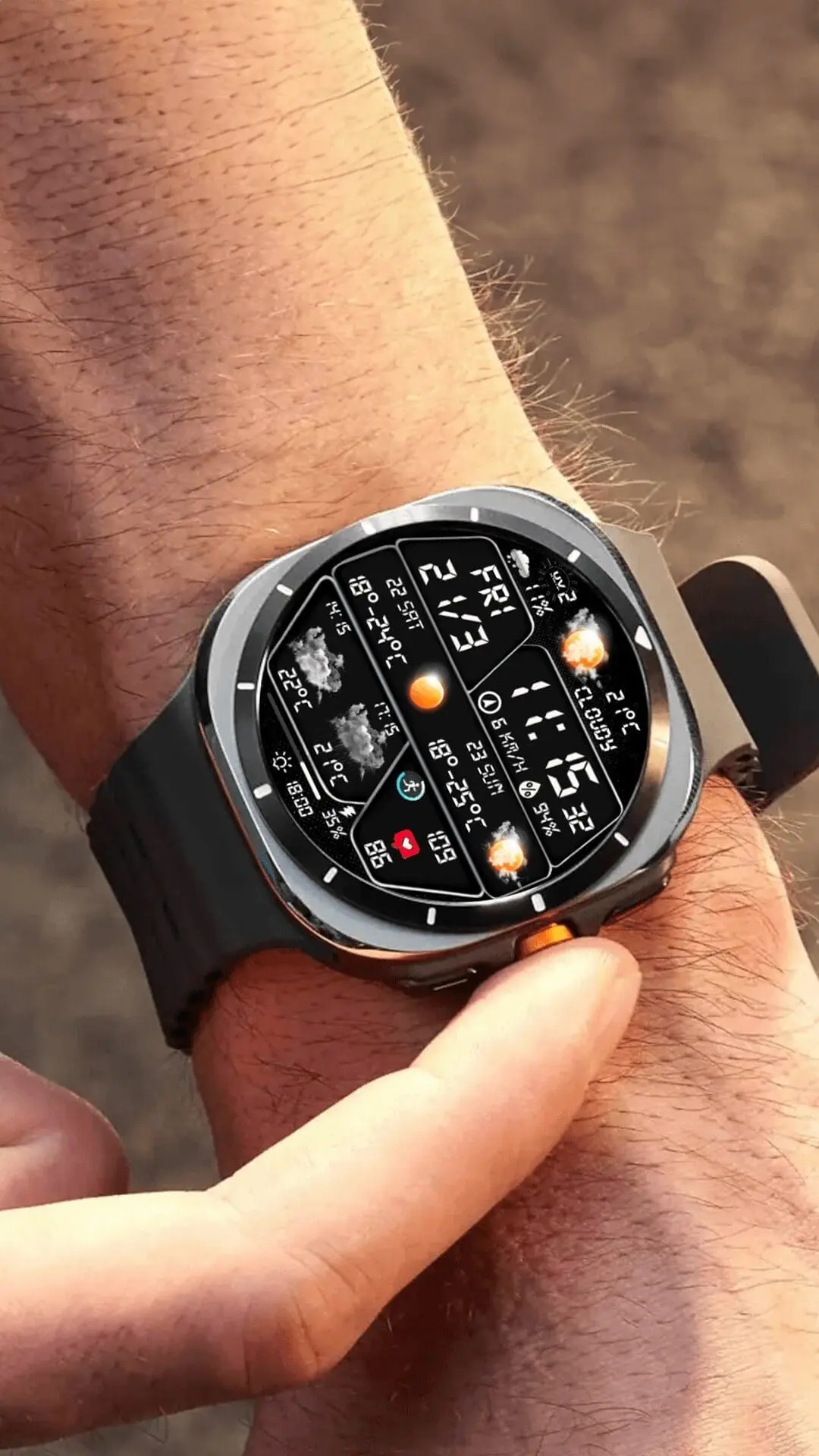
Having multi-tier forecasts integrated into the watch face prevents unexpected weather disruptions during outdoor cycling, running, or weekend hikes, providing clear predictive visibility right on your main screen.
Matching Layout to Activity Profiles
Wear OS users who engage in structured athletic routines will appreciate the swift tap responsiveness of N-SPORT 506. In contrast, those navigating outdoor commutes, cycling routes, or variable climates will gain greater utility from the predictive weather timelines on N-SPORT 716 and N-SPORT 735. Both design approaches fully support Always-On Display (AOD) mode to maintain constant visibility while conserving battery life throughout the day.