GUIDE · October 14, 2026
Wear OS Weather Setup: Rain Probability and UV Tracking
Wear OS ships with weather support at the system level, yet most watches still end up showing little more than a single temperature icon. If your routine involves being outside — commuting, cycling, long walks — the useful questions are more specific: will it rain in the next few hours, and how strong is the sun right now? N-SPORT 745 is a digital face for Wear OS 5.0 (API 34+) that answers both on the main screen.
How the Weather Layer Works on Wear OS
Per the official Play listing for com.watchfacestudio.n_sport745, the face surfaces Chance of Rain as a percentage, a UV Index readout, current temperature, fifteen dynamic weather icons, and forecasts for the next 3 hours, next 6 hours, and the week. All of this pulls from the weather provider your Wear OS 5.0 system is already connected to — the face is a presentation layer, not a separate weather service, so it inherits whatever coverage and update cadence your watch’s provider offers.
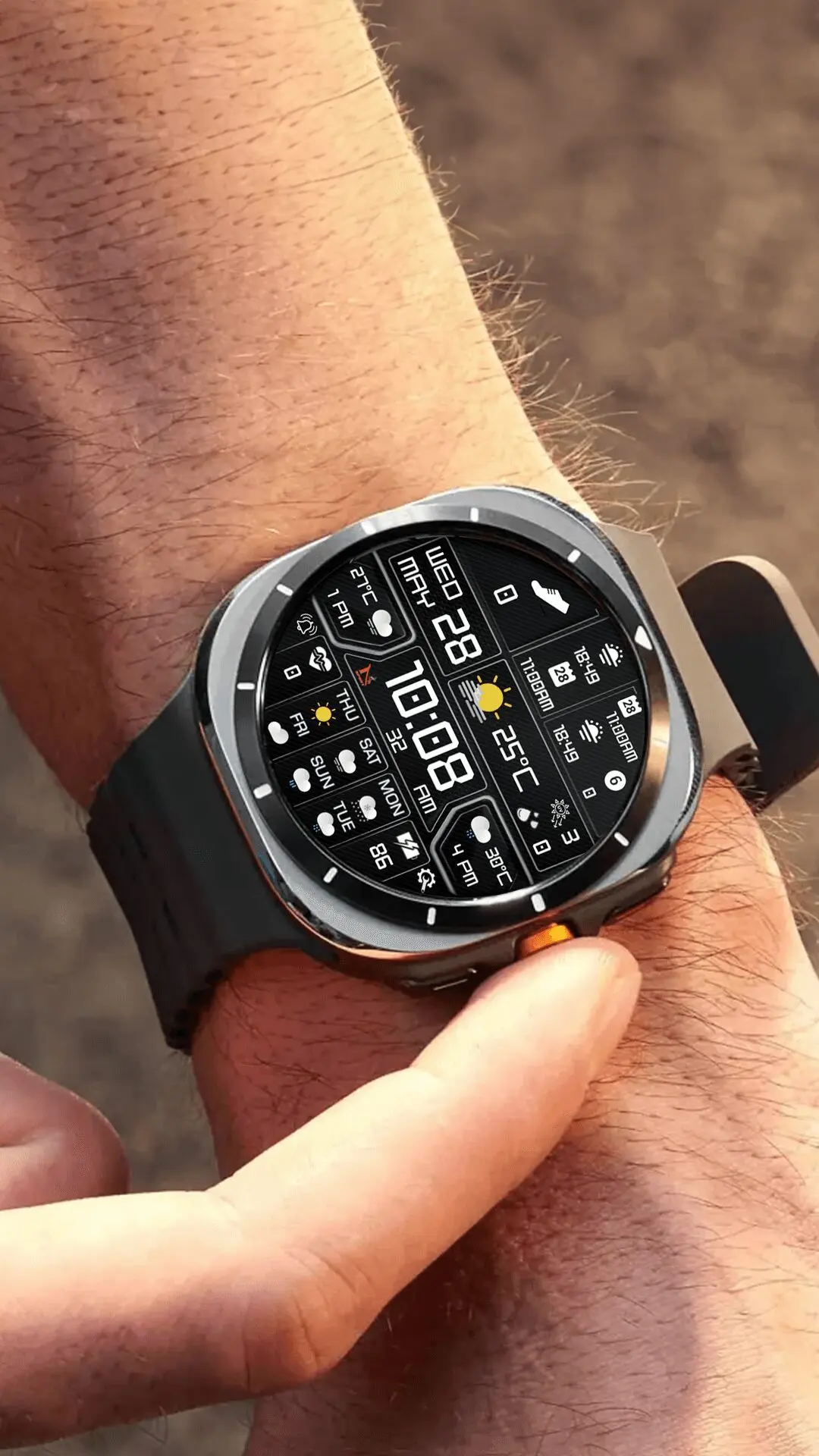
Setup: Permissions First
The most common reason a weather face shows dashes instead of numbers is a missing location grant. When you first install the face on an API 34+ device, approve the location permission. If you skipped it, open Settings > Apps > [watch face name] > Permissions on the watch and enable location from there. Rain probability and UV data are location-dependent; without position access, the face has no region to query.
Assigning the Five Complication Slots
N-SPORT 745’s listing describes five customizable complication slots plus two app shortcuts. Long-press the face, open the customize screen, and tap each slot to bind a data source. The listing also notes Health info support for Heart rate and Step counter, but does not specify which slot maps to which health metric, so treat the assignment as per-device and verify each slot accepts the provider you pick. The two app shortcuts are likewise not documented as fixed or remappable; check the customize screen on your own watch to see whether the shortcut zones let you pick an app, and configure them accordingly.

Reading Forecasts Without Opening an App
The 3-hour and 6-hour forecasts turn the face into a quick decision tool: rain chance trending up across the next two forecast windows tells you to carry a shell, while a stable UV index through the day tells you sunscreen planning is done once in the morning. Day, date, and battery percentage round out the persistent readouts, and Always-On Display support means the essentials remain visible when the screen dims — though the Play listing does not detail exactly which elements persist in ambient mode, so confirm the dimmed layout on your own hardware once before counting on it.
Compatibility Scope
The listed requirement is Wear OS 5.0 (API 34+). Rather than naming specific watch models the listing never mentions, check the firmware version on your device under Settings > System > About. If the watch is on API 34 or newer, the face is within its documented target environment.
The Takeaway
For outdoor use on Wear OS, N-SPORT 745 reduces weather checking to a wrist raise: rain probability, UV index, and time-boxed forecasts all sit in a fixed digital layout you learn once. Configure the permission, the complications, and the colors deliberately, and the face replaces the habit of reaching for the phone every time the sky changes. Get it on Google Play.